
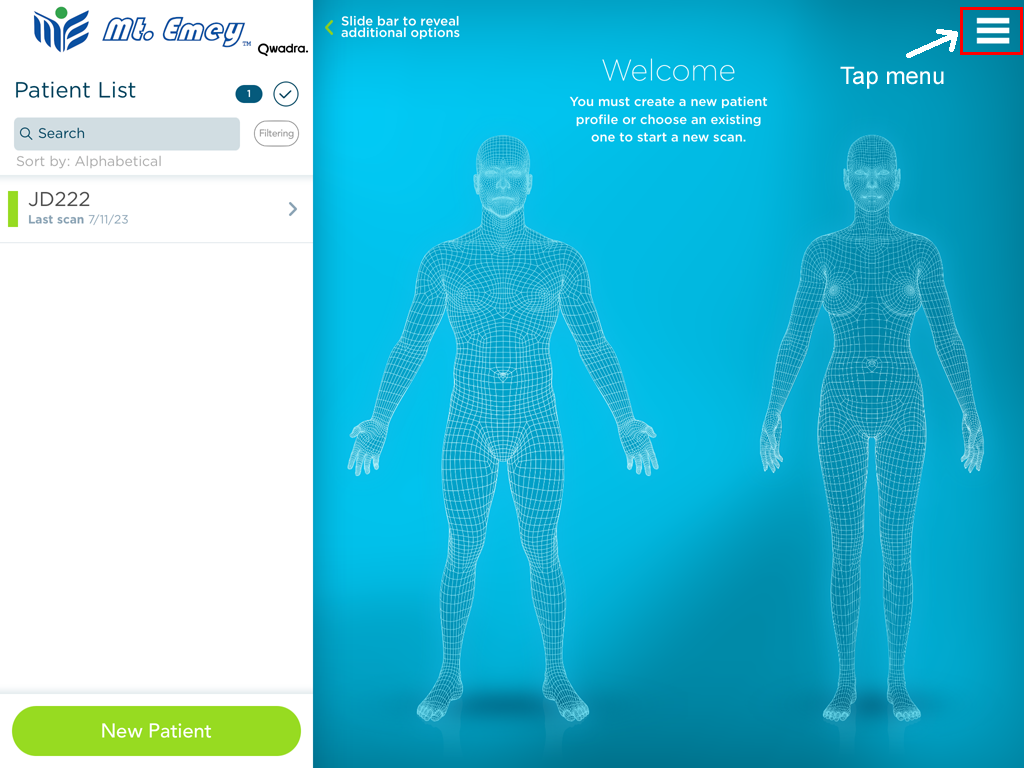
1. Tap Menu within Mt. Emey app
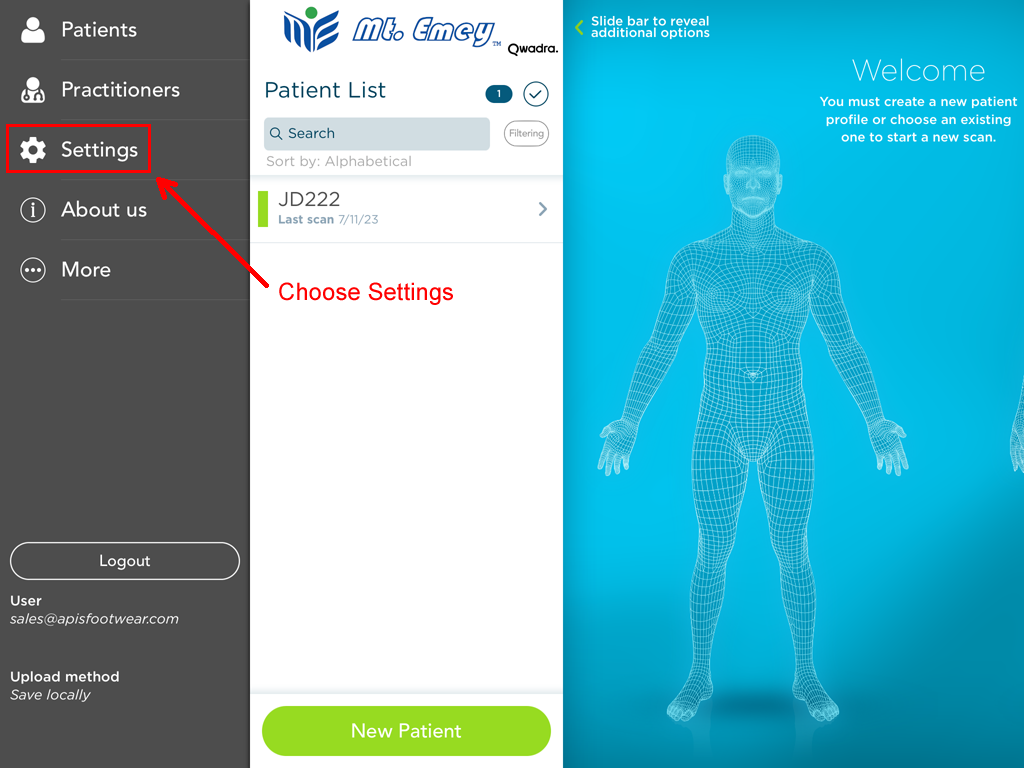
2. Then choose Settings
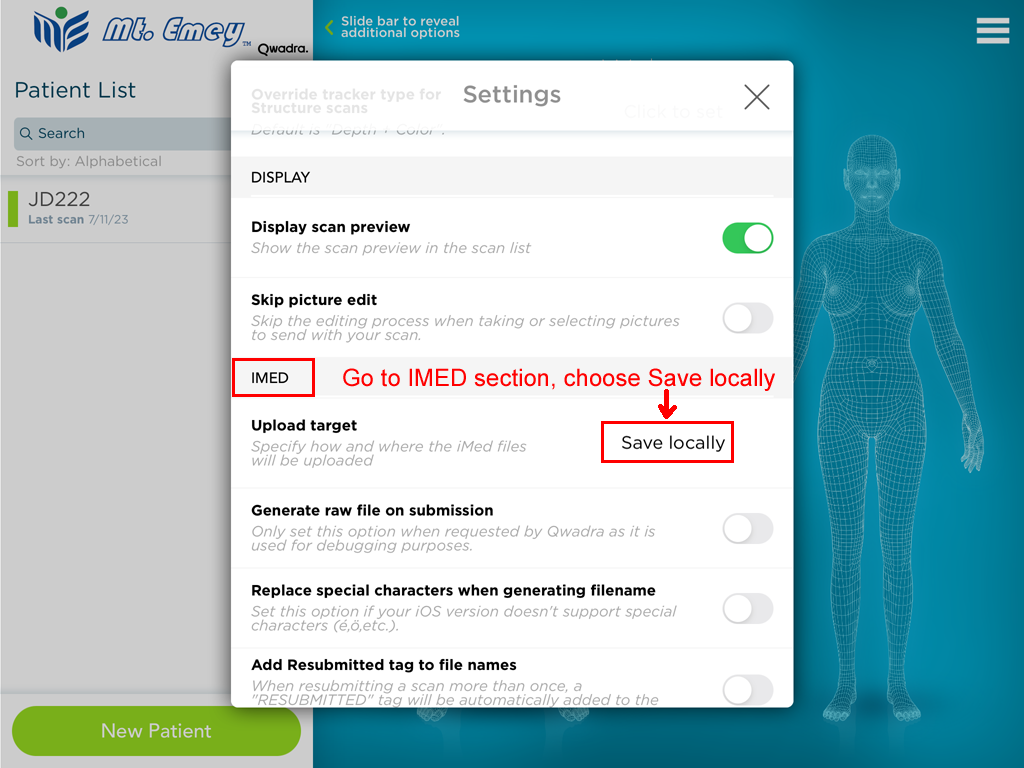
3. Scroll to IMED section, and choose Save Locally
4. Close Settings, find your scan, and tap Upload button. It is done in the background, no prompts will be shown.
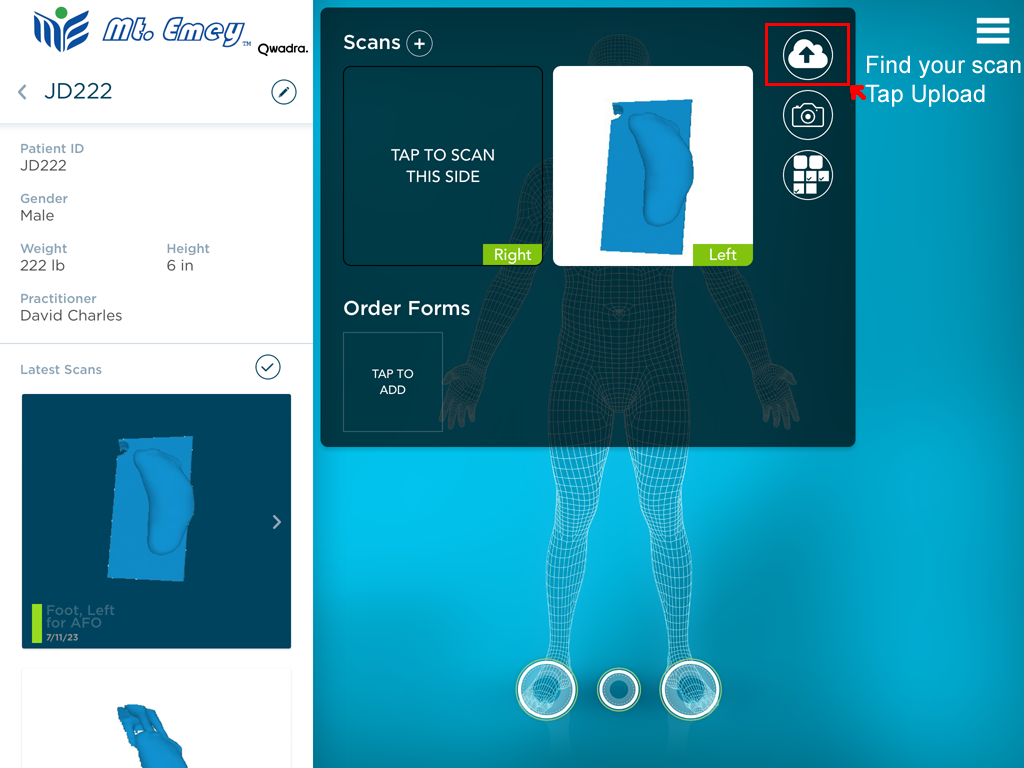
5. Close Settings, find your scan, and tap Upload button
6. Once it saved locally, you can follow the steps in the link below to place an order:
How To Upload Scans From iPad